Photo Editing Prompts Weekly Update List, save this page as bookmark, list will be update and add new prompts.
For any further discussions please visit my Discussion page.
Quick Navigation
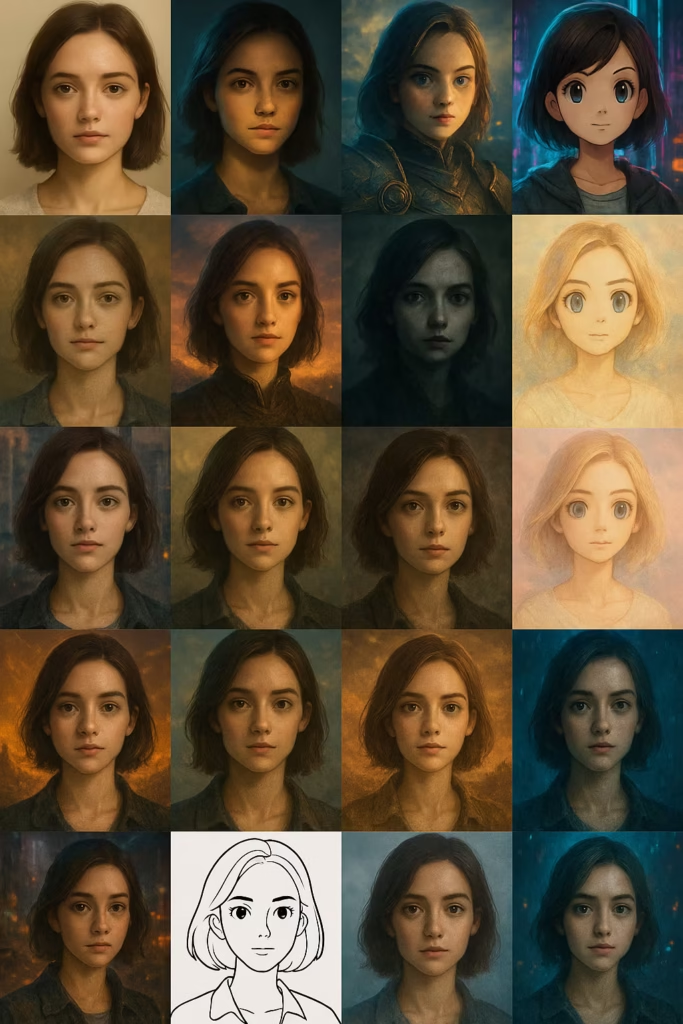
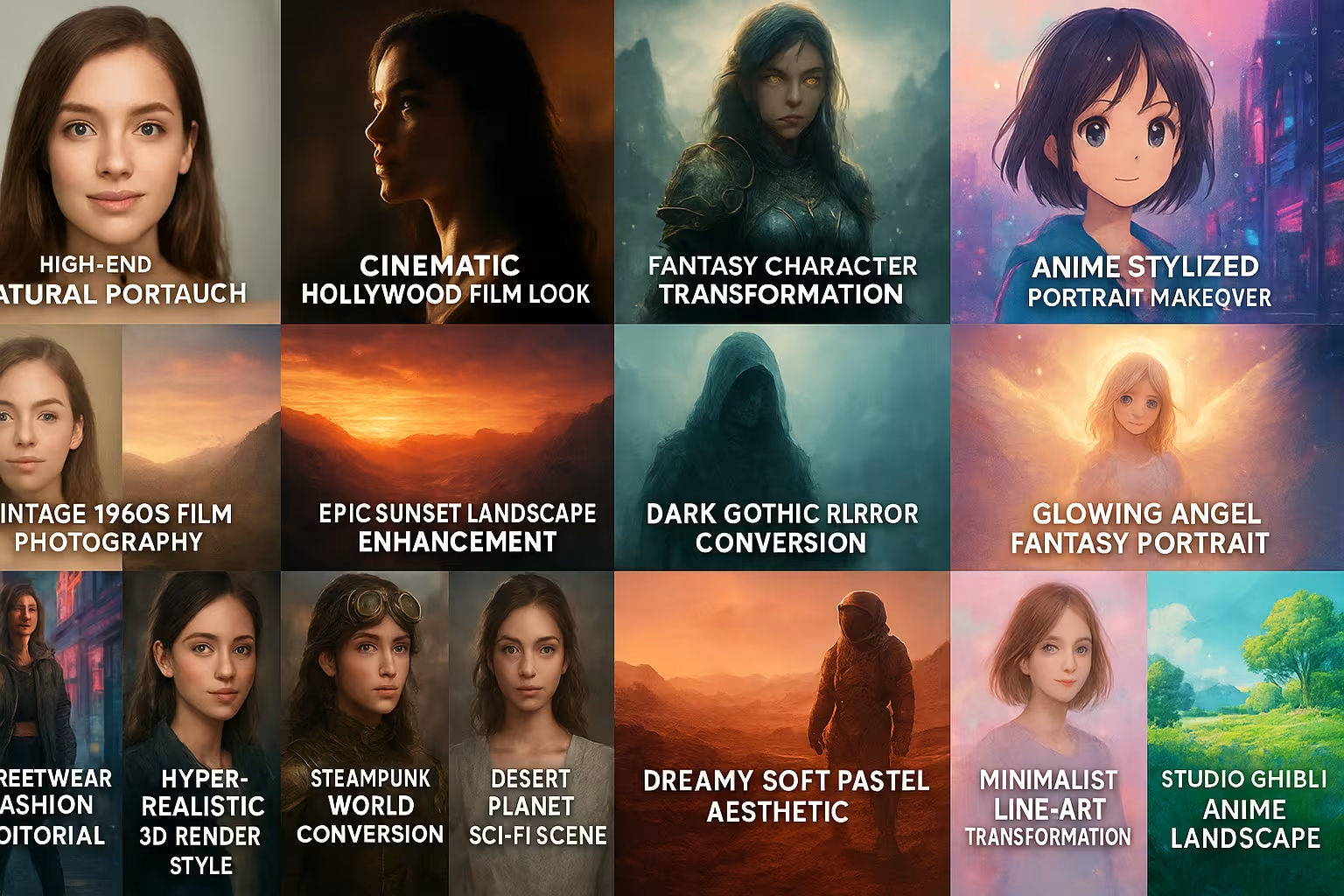
1. Cinematic Hollywood Film Look
“Transform the image into a cinematic Hollywood film still.
Add dramatic lighting with strong contrast and deep shadows.
Warm highlights and cool shadows (orange-teal).
Add subtle lens flare, grain, and a slightly desaturated color palette.
Crop to a wide anamorphic ratio (2.35:1).
Final result should look like a movie frame, not a photo.”
Best for ChatGPT and Gemini Both
2. High-End Natural Portrait Retouch
“Retouch this portrait in a natural, professional style.
Smooth skin softly without removing pores, reduce redness, brighten eyes slightly, whiten teeth gently, and remove stray hair.
Enhance lighting with soft, diffused highlights and subtle shadows.
Add a light cinematic color grade with neutral tones and minimal saturation.
Keep the subject realistic, not plastic or over-edited.”
Best for ChatGPT and Gemini Both
3. Fantasy Character Transformation
“Turn the person into a fantasy character from a mythical world.
Modify outfit into detailed armor with glowing runes.
Add subtle scars, glowing eyes, and a powerful magical aura.
Use a dramatic fantasy landscape background with mist and floating particles.
Warm, epic lighting with golden highlights and cold shadows.
Final result should be heroic, powerful, and cinematic.”
Best for ChatGPT and Gemini Both
4. Anime Stylized Portrait Makeover
“Convert the portrait into an anime character with large expressive eyes, soft shading, and vibrant colors.
Simplify facial features, smooth skin, and increase contrast.
Bright pastel background with floating sparkles.
Add soft rim lighting and glossy highlights to hair.
Keep proportions stylized but recognizable.”
Best for ChatGPT and Gemini Both
5. Cyberpunk Neon City Edit
“Transform the photo into a cyberpunk night scene.
Replace background with neon signs, holograms, and rain-soaked streets.
Add purple, cyan, and pink neon reflections on skin and clothing.
Increase contrast, add glowing edges, and subtle motion blur.
Final result should be futuristic, chaotic, and vibrant.”
Best for ChatGPT
6. Vintage 1960s Film Photography
“Give the photo a vintage 1960s film aesthetic.
Add heavy grain, faded colors, soft focus, and slight yellow cast.
Lower dynamic range, matte shadows, and soft highlights.
Create nostalgic, dreamy, analog feeling.
Avoid modern HDR sharpness.”
Best for Gemini
7. Epic Sunset Landscape Enhancement
“Enhance the landscape with a powerful sunset.
Boost orange and red tones in sky, deepen shadows, increase contrast.
Add rays of sun, soft haze, and subtle lens flare.
Sharpen foreground elements while keeping sky smooth.
Final result should feel warm, emotional, and dramatic.”
Best for ChatGPT and Gemini Both.
8. Dark Gothic Horror Conversion
“Convert the image into a gothic horror scene.
Desaturate colors, add cold blue shadows and harsh contrast.
Introduce fog, dust, and grunge textures.
Transform lighting into dramatic top-down spotlight.
Add creepy atmosphere but keep realism.”
9. Watercolor Painting Transformation
“Turn the image into a watercolor painting.
Use soft pastel colors, flowing shapes, and minimal hard edges.
Add paper texture, watercolor bleed, and ink outlines.
Retain main composition but not photographic detail.
Final result should look hand-painted.”
10. Glowing Angel Fantasy Portrait
“Transform the person into an angelic being.
Add soft glowing wings, radiant light halo, and white flowing clothing.
Enhance lighting with bright backlight and soft haze.
Warm, heavenly tones with gold highlights.
Final result should look divine, peaceful, and magical.”
11. Streetwear Fashion Editorial
“Convert the image into a high-fashion streetwear editorial photoshoot.
Replace outfit with trendy layered streetwear.
Add urban city background, neon signs, graffiti.
High contrast, sharp edges, bold colors.
Use magazine-style color grading and composition.”
12. Hyper-Realistic 3D Render Style
“Transform the subject into a hyper-realistic 3D character.
Add exaggerated but detailed textures, perfect lighting, soft shadows.
Glossy skin, sharp highlights, realistic depth of field.
Final result should resemble a AAA video game render.”
13. Steampunk World Conversion
“Turn the photo into a steampunk setting.
Add brass gears, leather, goggles, and mechanical arm pieces.
Sepia-based color grade with warm shadows and green undertones.
Smoke, sparks, and industrial machinery in background.”
14. Desert Planet Sci-Fi Scene
“Transform environment into a red, dusty alien desert planet.
Add rocky formations, wind effects, dust particles.
Warm tonal range with strong sunlight and harsh shadows.
Optional sci-fi structures in the distance.”
15. Dreamy Soft Pastel Aesthetic
“Convert the image into a dreamy pastel aesthetic.
Soft focus, low contrast, pastel pink, blue, and peach tones.
Add glow, bokeh, and subtle blur.
Final result: soft, dreamy, kawaii mood.”
16. Epic Battle Scene Action Shot
“Turn the image into an epic sci-fi/fantasy battlefield.
Add armor, weapons, explosions, smoke, and dynamic lighting.
Motion blur for action, sparks and debris.
Final result should be intense, chaotic, cinematic.”
17. Minimalist Line-Art Transformation
“Convert the image into minimalist line-art illustration.
White background, black bold outlines, no shading.
Simplify shapes and remove detail.
Final result should look like clean graphic illustration.”
18. E-Commerce Product Hero Shot
“Edit the product into a professional e-commerce hero shot.
White or gradient background, soft shadows, sharp edges.
Correct perspective, remove imperfections, enhance textures.
Natural colors, high clarity, minimal reflections.”
19. Moody Rainy Night Scene
“Transform the scene into a rainy night environment.
Add raindrops, wet surfaces, reflections, and misty atmosphere.
Blue-green color palette, soft highlights.
Add depth with fog and blurred lights.”
20. Studio Ghibli Anime Landscape
“Convert the landscape into Studio Ghibli art style.
Bright colors, soft brush strokes, dreamy lighting.
Whimsical trees, magical details, atmospheric depth.
Final result should feel warm, nostalgic, and peaceful.”
Tips to Make These Prompts Even Better
Add modifiers like:
- lens type (85mm, wide angle)
- lighting style (soft, dramatic, neon)
- style reference (anime, Pixar, Van Gogh)
- resolution size
Example:
“in ultra-detailed 8K resolution with cinematic rim lighting and shallow depth of field.”